Best Drone Settings for Photographing Model Railway Layouts Indoors
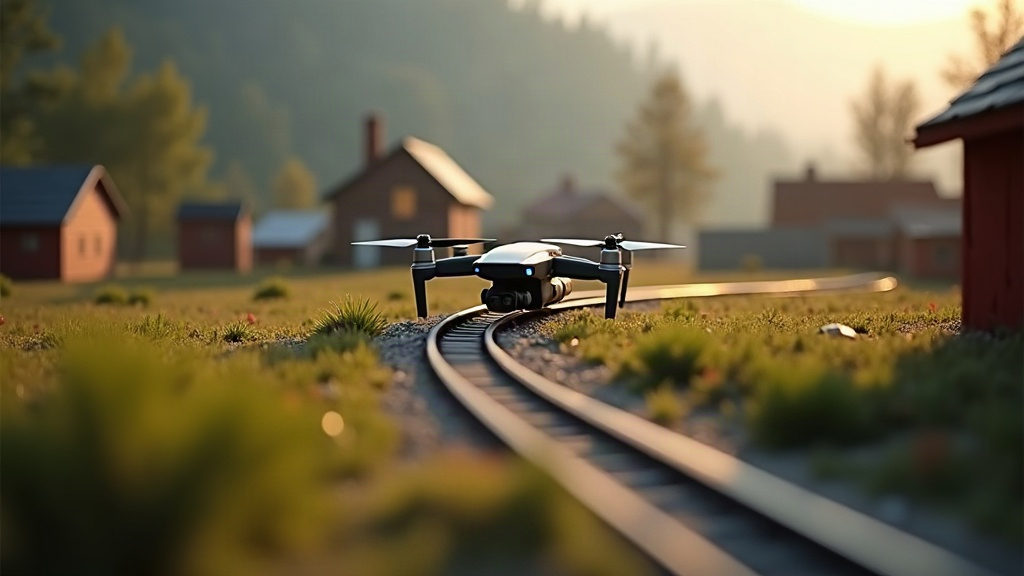
Start With a Safe Indoor Drone Setup
Indoor model railway layouts are detailed, fragile little worlds. Trees, signals, station roofs, figures, catenary wire, rolling stock, one clumsy prop wash or a tiny bump and something’s broken. So before you even think about camera settings, sort out the flight area first.
A lightweight cinewhoop or micro FPV drone with full propeller guards beats a bigger camera drone here, almost every time. Don’t assume “under 250 grams” automatically means safe either, plenty of sub-250g drones still pack enough punch to knock over a signal box. What actually matters is smooth, controllable handling at very low speed.
Before you take off:
- Remove loose scenic items near the planned flight path.
- Secure curtains, cables, and anything that could get sucked into the propellers.
- Turn off ceiling fans and kill any air-conditioning draft.
- Clear people and pets from the room.
- Check for thin wires, especially overhead railway electrification, they’re murder to spot until it’s too late.
- Do a short hover well away from the layout first, just to feel out the stability.
On very small layouts it’s often safer to shoot from the edge inward rather than fly straight over the delicate stuff.
Use Manual Camera Settings Whenever Possible
Automatic exposure tends to fall apart indoors. A bright window in one corner, a glossy train roof catching light, a black tunnel mouth two feet away, LED strips flickering in the background, the camera will keep hunting, brightening and darkening the shot every few seconds. Manual settings give you a consistent look across the whole flight, which matters a lot once you start editing.
Recommended Starting Camera Settings
Treat these as a starting point, then tweak for your actual room:
| Setting | Recommended Starting Point | Why It Helps |
|---|---|---|
| Video resolution | 4K, 24 or 30 fps | Allows cropping and extracting still frames |
| Photo format | RAW or RAW+JPEG | Preserves more editing flexibility |
| ISO | 100 to 400 | Reduces visible image noise |
| Shutter speed for photos | 1/125 to 1/250 sec | Helps freeze drone movement |
| Shutter speed for 30 fps video | 1/60 sec | Produces natural motion blur |
| White balance | Manual, 4000K to 5500K | Prevents shifting colors between shots |
| Exposure compensation | 0 to -0.7 EV | Protects highlights on bright scenery |
For stills, chase shutter speed before you chase brightness. A crisp shot at ISO 400 will always beat a mushy, blurred one at ISO 100, no contest.
If your drone has a small sensor, don’t push ISO past 800 unless the shot is destined for a quick Instagram post and nothing more. Fine ballast, foliage, weathering, tiny printed signage, all of it turns to mud fast once noise creeps in.
Set White Balance for Your Layout Lighting
Model railway rooms usually mix several light sources at once: warm LED strips under the baseboard, cool ceiling fixtures overhead, daylight leaking in from a window, plus whatever glow comes from the layout’s own building lighting. Leave white balance on auto and one frame comes out orange, the next comes out blue. Editing a sequence like that is a headache nobody needs.
Pick a fixed white balance based on whatever light dominates the room:
- 3200K to 4000K: Warm incandescent or warm-white LEDs.
- 4500K to 5000K: Mixed indoor lighting.
- 5200K to 5600K: Daylight-balanced LED panels or window light.
Snap a test shot of neutral ballast, a grey road surface, or a white station wall. Too orange? Drop the Kelvin number. Too blue? Push it up.
For the most convincing miniature look, try killing the room lights entirely and lighting the scene with matched daylight-balanced LED panels instead. Color stays predictable and you lose those harsh, ugly shadows.
Fly Slowly and Use Gentle Control Rates
The best drone settings for photographing model railway layouts indoors aren’t only about the camera. Flight behavior matters just as much, arguably more. A fast yaw whip or a sudden pitch change softens the image instantly and gives video that cheap, distracting “toy drone” wobble.
Dial the drone down for calm, deliberate movement:
- Use the lowest available flight mode, or a dedicated cinema mode if your drone has one.
- Reduce yaw sensitivity so turns come slower.
- Add expo to the sticks for finer control near center.
- Cap the maximum angle or tilt for indoor flying.
- Use gradual acceleration and deceleration if the controller allows it.
- Avoid sharp altitude corrections anywhere near buildings or trees.
A genuinely useful shot is often nothing more than a slow, ten-second pass along a platform, through a valley, or alongside a moving train. Fly the route once or twice with the camera rolling before you commit to a “real” take.
Focus on Scale and Camera Angle
A drone can make a layout look shockingly real, or it can make it look like exactly what it is: a small table with trains on it. The difference almost always comes down to angle.
Skip the straight-down shot unless you specifically need a track-plan view. Shooting from directly overhead exposes the boundaries of the layout and shrinks every building instantly. Fly at a scale-aware height instead, roughly at roof level, or just below the crest of a hill.
A few compositions worth trying:
Low Trackside Pass
Fly parallel to the rails at about locomotive cab height. Keep the camera level, or angled only slightly down. Works great for station approaches, long freight trains, sweeping scenic curves.
Elevated Scenic Reveal
Start hidden behind a hill, a building, or a tree line, then rise slowly to reveal a viaduct, a yard, or a station beyond it. Keep it slow, slow enough that it reads as cinematic rather than a quick peek-and-move.
Platform Perspective
Park the drone at the end of a platform, looking straight along the train. Tracks, canopies, lampposts, and passenger figures all line up into strong leading lines.
Keep some distance from the subject too, get too close and wide-angle distortion ruins the scale illusion. If your camera offers multiple focal lengths or digital zoom, a slightly narrower field of view usually sells the realism better.
Manage Lighting, Reflections, and Flicker
Indoors, light is usually the limiting factor, not camera quality. Add soft, even illumination above the layout wherever you can. Diffused LED panels help a lot here, cutting down the hard shadows that pool under buildings and rolling stock.
Watch out for these recurring problems:
- LED flicker: Match your shutter speed to the local electrical frequency. In 50 Hz regions, 1/50 or 1/100 second usually works better; 60 Hz regions tend to favor 1/60 or 1/120 second.
- Window glare: Close the blinds, or shoot only when daylight stays consistent.
- Shiny rails: Nudge the camera angle instead of cranking exposure down.
- Deep tunnel shadows: Drop a small diffused light near the tunnel entrance rather than pushing ISO way up.
Capture Video First, Then Extract Still Frames
If your drone shoots clean 4K, recording a slow pass is usually more efficient than trying to trigger individual photos mid-flight. Fly the shot, review the footage afterward, pull the best frame out later.
This trick pays off especially well when timing a moving train. Run the train at a steady speed, fly the same predictable route, repeat the take three or four times. You’ll almost always end up with something cleaner than trying to nail a single photo shutter press at exactly the right instant.
Conclusion
The best indoor drone photographs of model railway layouts come down to controlled flight, stable exposure, and thoughtful lighting, not just expensive gear. Grab a protected, lightweight drone, lock in your ISO and white balance, fly slow, and keep the camera close to miniature eye level. A few test flights in, and your layout stops looking like a tabletop model and starts looking like a full-size railway.