Spring Wildflower Mapping With a Sub-250g Drone: Beginner Guide
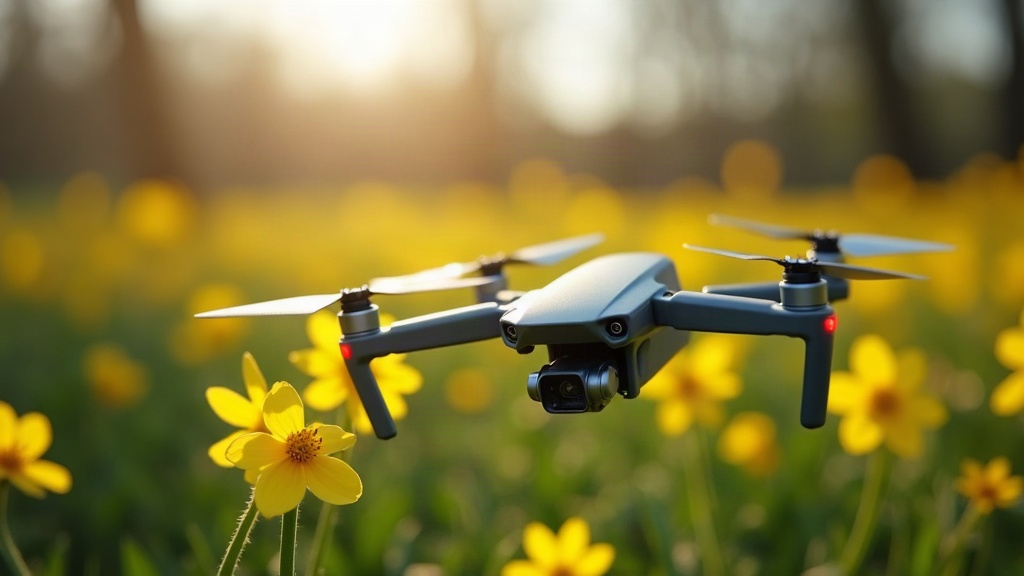
Spring wildflower mapping with a sub-250g drone lets hobbyists, land managers, and nature photographers document bloom patterns without registration hassles or heavy gear. Here’s a complete beginner workflow, from picking the right lightweight drone to planning flights, capturing usable imagery, and stitching it all into a map you’ll actually want to use.
Why Sub-250g Drones Are Ideal for Wildflower Mapping
Drones under 250 grams (think DJI Mini 4 Pro or Autel Nano+) skip a lot of the regulatory burden in the US, UK, and EU. That means you can fly over public meadows, trailheads, and preserves without jumping through hoops. For wildflower tracking specifically, the small size buys you a few practical advantages:
- Less wind disturbance on low passes
- Lower risk of trampling fragile bloom patches during takeoff and landing
- Easier to pack for a long hike into a remote bloom site
- Quieter operation, which matters a lot near sensitive habitats and wildlife
The catch? Smaller sensors and shorter battery life. Nothing a bit of smart planning can’t fix.
Step 1: Scout the Bloom Window
Wildflower blooms don’t last long, usually a 2-3 week peak that shifts year to year depending on rainfall and temperature. Before you even think about flying:
- Check local botanical society reports or iNaturalist observations to see when bloom typically starts
- Walk the site first and confirm the density is actually worth mapping (some patches look impressive from a distance and thin out fast up close)
- Drop GPS waypoints on your phone marking the densest clusters
Time your flight to the first week of peak bloom and you’ll get the richest color contrast, both for photos and for the data itself.
Step 2: Plan the Flight Grid
Most sub-250g drones support grid or mapping modes through apps like DJI Fly’s waypoint feature, Litchi, or Pix4Dcapture. For a basic wildflower map, aim for this:
- Altitude between 60-100 feet (18-30m): enough ground resolution without buzzing pollinators
- 70-80% front overlap, 60-70% side overlap between photos, so the stitching software has enough to work with
- Mid-morning flights (10am-12pm), when light is even and flowers are fully open
- Skip windy days entirely. Petals shift between overlapping shots and that’s enough to throw off the stitching algorithm
No built-in mapping mode? Fly straight, parallel lines by hand at a steady altitude and speed, snapping a photo every few seconds.
Step 3: Capture Settings for Accurate Color
Wildflower photography lives and dies on color accuracy, so dial in your camera settings before takeoff:
- Shoot RAW (DNG) if your drone allows it. JPEG compression flattens the subtle gradients in petals
- Lock white balance manually (daylight, 5500K) instead of auto, so color stays consistent across the entire grid
- Add a neutral density filter if you’re shooting under bright midday sun, otherwise white and yellow blooms blow out fast
- Keep ISO near base (100-200) for the cleanest detail
Step 4: Stitch and Map Your Images
Back home, feed your overlapping photos into a photogrammetry tool:
- Free/low-cost options: WebODM, OpenDroneMap
- Paid options: Pix4Dmapper, Agisoft Metashape
These tools stitch hundreds of images into a single orthomosaic, a flat, georeferenced map that shows exactly where each flower patch sits. That’s handy for:
- Comparing bloom density year over year
- Building public trail guides pointing people to the “best bloom spots”
- Tracking invasive species spread alongside native wildflowers
Step 5: Export for Sharing
If you’re doing this for photography, export a high-resolution JPEG or PDF of the orthomosaic, plus your best close-up shots from a separate, slower, lower pass. If you’re working with land managers or researchers, export GeoTIFF files that play nice with GIS software like QGIS.
Common Beginner Mistakes to Avoid
- Flying too high: Past 150 feet, individual flower clusters turn into indistinct blobs of color.
- Skimping on overlap: Not enough overlap means stitching gaps and ghosting artifacts in the final map.
- Flying in afternoon shadows: Long shadows from nearby trees mess with color accuracy in open meadows.
- Skipping the pre-flight walk: You’ll burn battery mapping a sparse patch instead of the dense bloom area 50 meters over.
Conclusion
Mapping spring wildflowers with a sub-250g drone is a surprisingly accessible project, part photography, part light data science. Scout the bloom window, plan a solid flight grid, nail your RAW capture settings, and run free stitching software, and you’ll end up with a genuinely useful bloom map. Whether it’s for a personal photo project, a trail guide, or a citizen science contribution, you get there without the weight, cost, or paperwork of heavier mapping drones.