Why Drone Downward Vision Sensors Fail Over Snow Lawns
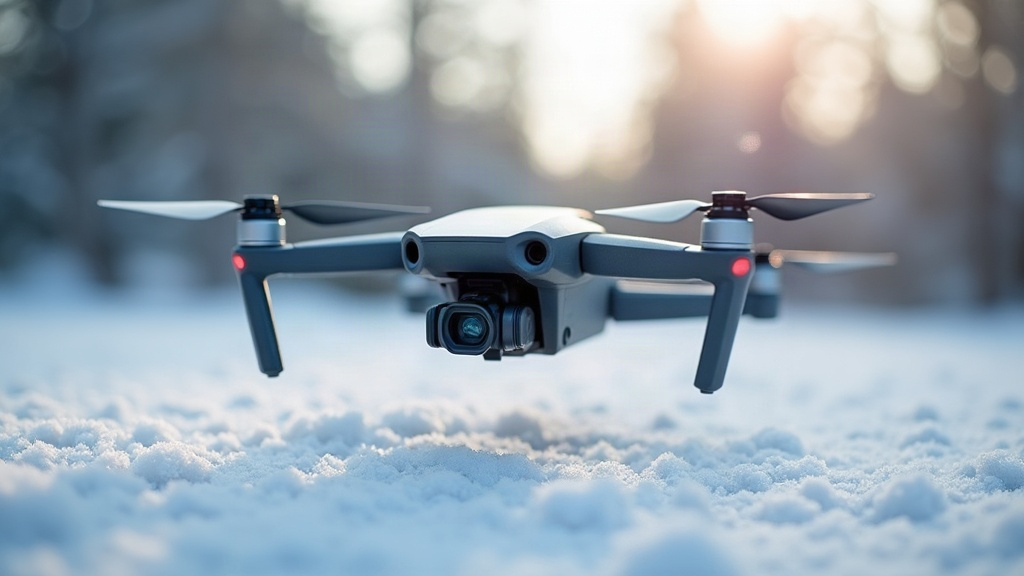
If your drone suddenly starts drifting sideways, bobbing up and down, or just refusing to sit still the moment you launch it over a snow-covered lawn, you’re not losing your mind. You’re also not alone. This is probably the single most common winter complaint I hear from drone pilots, and it traces back to a pretty basic limitation in how downward vision sensors “see” the ground beneath them. Let’s get into why this happens and, more importantly, what you can actually do about it.
How Downward Vision Sensors Actually Work
Most consumer and prosumer drones rely on a downward-facing optical flow sensor, usually paired with ultrasonic or infrared sensors (and sometimes a secondary camera), to hold a stable hover at low altitude. That’s typically anywhere below 30 to 50 feet, depending on your specific model. This setup, which manufacturers often lump together under the label “Vision Positioning System” or VPS, works roughly like this:
- It captures a fast sequence of images of the ground below
- It compares consecutive frames to spot visual texture, edges, and contrast patterns
- It calculates how the drone has moved based on how those patterns shift between shots
For any of this to work, the sensor needs visual texture: variation in color, shadow, pattern, anything it can latch onto and track from one frame to the next. Grass, cracked pavement, gravel, patterned tile floors. All of these hand the camera plenty of reference points to chew on.
Why Snow Breaks This System
A fresh, snow-covered lawn is basically the nightmare scenario for an optical flow sensor. Several problems stack on top of each other at once.
1. Lack of visual texture
Even, fresh snow creates a flat, blank, featureless white surface. No edges, no contrast, nothing for the sensor to grab onto between frames. It’s a bit like trying to navigate by staring at a blank sheet of printer paper. There’s simply nothing there.
2. Overexposure and glare
Snow bounces back an absurd amount of light, especially under direct sun. That glare tends to overexpose the downward camera’s sensor, which washes out whatever faint texture might still be lurking (a few footprints, dead grass poking through, a stray shadow) and leaves you with an image that’s just… white.
3. Confused infrared/ultrasonic readings
Some drones combine optical flow with infrared time-of-flight sensors to judge altitude. Snow’s reflective surface can scatter those infrared signals in unpredictable ways, producing jittery, inconsistent altitude readings that pile on top of the positioning error you’re already dealing with.
4. Low ambient light conditions
Overcast winter skies, which tend to show up right when there’s snow on the ground, mean less overall light. That often pushes the camera into a noisier, lower-quality image mode, which degrades tracking even further. It’s a compounding problem, not a single point of failure.
Warning Signs Your Drone Is Struggling
Watch for these right after takeoff over a snowy surface:
- Sudden, unexplained drift in one direction while supposedly “hovering”
- A slow circling motion around a stationary hover point (pilots often call this the “toilet-bowl” effect)
- Altitude bobbing up and down even though you haven’t touched the throttle
- A vision sensor error icon or warning popping up in your flight app
- The drone quietly switching itself into GPS-only mode (and if your GPS lock is weak at that moment, this makes things worse, not better)
What To Do About It
1. Launch and land from a non-snow surface
Clear a small patch if you can: a stretch of pavement, a rubber mat, even a flattened piece of cardboard works. A cleared area as small as 3x3 feet is often enough to give the sensor real texture during that critical low-altitude phase right after takeoff.
2. Gain altitude quickly
Once you’re airborne, climb straight up through the altitude band where vision positioning is active (check your manual, it’s commonly somewhere between 10 and 30 feet). Above that range, most drones switch to GPS-based positioning, which doesn’t care what the ground looks like.
3. Fly in GPS mode on purpose
Plenty of flight apps let you manually disable vision positioning. If you’ve got a solid GPS/GNSS lock (check your satellite count before you trust it), switching to GPS-only mode sidesteps the whole conflict rather than hoping the drone figures it out on its own.
4. Avoid low, slow hovering over snow
Need a close, low shot over the snow? Keep it brief, and keep moving slightly rather than parking in a dead hover. Continuous motion over anything with visible texture (footprints, tree shadows, tire tracks) gives the sensor a reference point it can actually use.
5. Check for firmware updates
Manufacturers do tweak their low-texture and snow handling over time through firmware updates. It’s a five-minute check before you fly. Keep both the drone and the remote controller current.
6. Mind temperature effects too
Cold weather eats into battery performance, and a struggling battery can produce erratic flight behavior that looks a lot like a sensor glitch but isn’t. Preheat your batteries before flight and keep an eye on voltage once temperatures drop below freezing.
Conclusion
Downward vision sensors need visual texture to function, full stop, and a blanket of fresh snow is about as texture-less as a surface can get. That mismatch is exactly what produces the drift, the bobbing, the sensor errors. None of this calls for a hardware fix. It’s a flying habit you adjust: launch from cleared ground, climb fast into GPS-reliable airspace, and skip the long, low hovers over blank white snow. Build those habits in and winter flying stops being a guessing game.