DJI Neo vs HoverAir X1: Best Hands-Free Family Picnic Drone
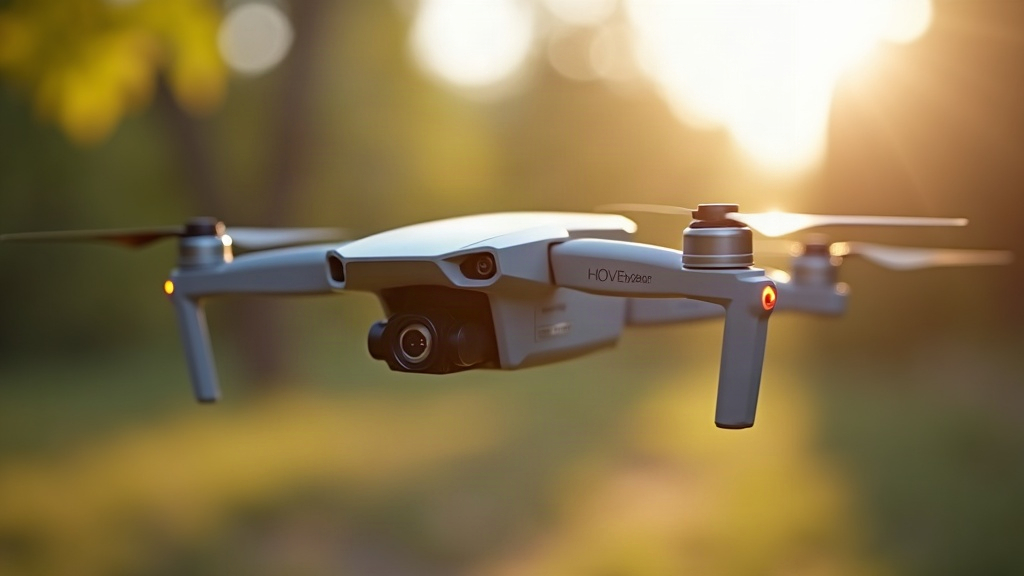
If you want hands-free family picnic videos in a small park, the DJI Neo comes out ahead overall. It has propeller guards, noticeably better obstacle avoidance, and sharper 4K footage. The HoverAir X1, on the other hand, wins on raw simplicity and pocketability for those casual toss-and-shoot moments. Below I break down which one actually fits your next picnic, based on real-world flying in tight, tree-lined spaces, which is where most families end up flying these things anyway.
Why These Two Drones Matter for Picnics
Both the DJI Neo and HoverAir X1 were built around the same core idea: skip the controller, let the drone follow you, and walk away with usable footage without needing years of piloting practice. That’s basically the dream for any parent chasing a toddler around a picnic blanket. But “self-flying” doesn’t mean “foolproof.” Small parks throw a lot at a drone: tight turns, low branches, a dog sprinting through the frame, a five-year-old who just wants to grab it mid-air.
Safety First: Propeller Guards Matter More Than You Think
- DJI Neo ships with full propeller guards as standard, and its obstacle sensing (downward and forward) is genuinely reliable for something this small.
- HoverAir X1 skips guards on most trims, and its obstacle avoidance is more limited. It leans on predictable flight paths instead of active sensing.
In a crowded park with kids and pets darting around unpredictably, that’s not a small detail. If your picnic spot has narrow paths, low branches, or heavy foot traffic, the Neo’s guards and sensors meaningfully cut down the odds of a bumped finger or a scraped knuckle.
Hands-Free Modes: Who Actually Nails “Set and Forget”?
DJI Neo
- Palm takeoff and auto-follow work well, though the drone wants a few feet of open space to lock onto tracking.
- QuickShots (Dronie, Circle, Helix) look great on camera but need a bit more room to pull off smoothly. A tight picnic table under tree cover can clip the flight path mid-shot.
- You can fly it via phone app or an optional mini controller, so if hands-free mode struggles in a cluttered spot, you’ve got a backup plan.
HoverAir X1
- This is the real “throw and go” experience. Toss it, it stabilizes itself, and it’s already filming before you’ve sat back down.
- Follow Me mode is simpler and more forgiving in cramped spaces, mostly because it isn’t trying to pull off wide cinematic arcs by default.
- There’s no controller option. It’s a pure point-and-shoot device, and honestly, some families will prefer exactly that.
Bottom line: if your spot is genuinely tiny (a single table under a canopy), the HoverAir X1’s tighter, simpler flight pattern is less likely to clip a branch. Got a slightly more open lawn? The DJI Neo pulls ahead on shot quality, no contest.
Footage Quality Comparison
| Feature | DJI Neo | HoverAir X1 |
|---|---|---|
| Max resolution | 4K/30fps | 2.7K/30fps (varies by trim) |
| Stabilization | Excellent (gimbal-assisted digital) | Good (digital only) |
| Low-light picnic evenings | Noticeably better | Grainier in shade/dusk |
| Audio (onboard mic quality) | Average | Average |
If these are clips you’ll actually pull up again in five years, the Neo’s sharper image and tighter stabilization justify the extra cost for most people.
Battery Life and Picnic-Length Flights
Picnics stretch on. Two or three hours of actual outdoor time isn’t unusual. Neither drone covers that on a single charge:
- DJI Neo: roughly 18 minutes per battery, and spares are cheap enough to swap in without a second thought.
- HoverAir X1: somewhere between 11 and 23 minutes depending on model and mode, with equally easy battery swaps.
Grab at least one spare battery for whichever drone you pick if you’re planning a full afternoon out. That matters more than any spec sheet number.
Which Should You Buy?
- Choose the DJI Neo if: you want sharper 4K video, you’re shooting in a fairly open lawn with room to maneuver, and safety guards matter because curious kids or pets are nearby.
- Choose the HoverAir X1 if: your picnic spot is tight and tree-covered, you want the simplest possible toss-and-film setup, and footage quality isn’t the top priority.
Quick Setup Tips for Either Drone
- Launch from an open patch of grass, not right next to the picnic blanket.
- Keep kids and pets a few feet back during takeoff and landing. This is where most accidents happen.
- Start with Follow Me mode before jumping into cinematic presets. Get a feel for it first.
- Carry a spare battery and a microfiber cloth. Little fingers find lenses fast.
Final Thoughts
For most families picnicking in small parks, the DJI Neo is the safer, better-looking pick, assuming you’ve got even a modest patch of open space. But if your usual spot is cramped and shaded by a thick canopy, the HoverAir X1’s no-fuss toss-and-fly setup will save you some frustration. Either way: pack a spare battery, scout your takeoff spot before you lay out the blanket, and let the drone handle the filming while you actually get to enjoy the picnic.