Waypoint Missions for Documenting Backyard Vegetable Garden Growth
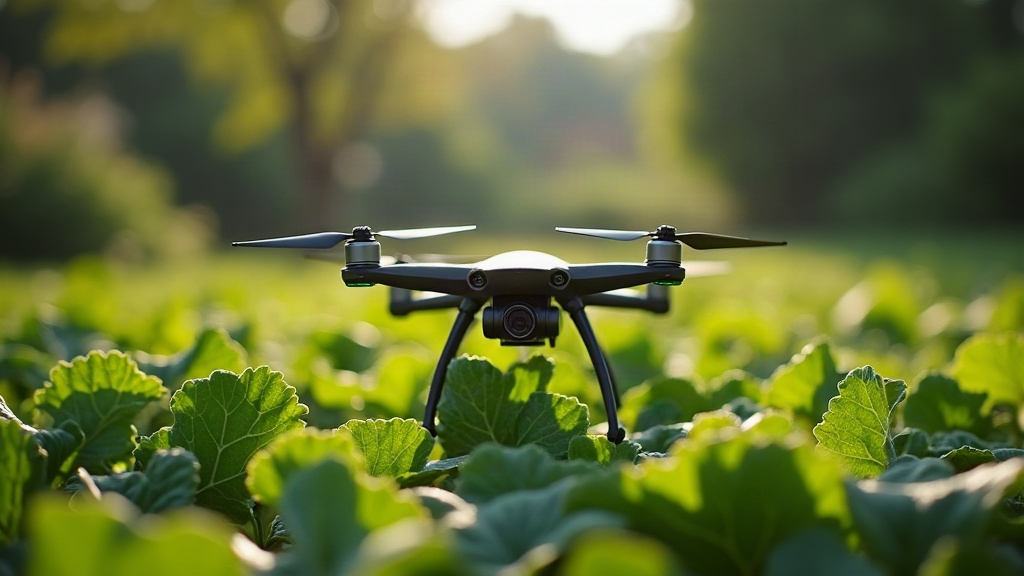
Advanced drone pilots are turning backyard vegetable patches into miniature precision-monitoring projects. The method: waypoint missions that capture consistent, repeatable aerial imagery of plant growth over weeks or months. Instead of eyeballing a hover position every single time, you program an exact flight path once and replay it on a schedule. The payoff is data clean enough to compare side by side, frame by frame, as tomatoes climb trellises and squash vines sprawl across raised beds.
Why Waypoint Missions Beat Manual Flying for Garden Tracking
Manual flights introduce variables that wreck comparison shots. A slightly different altitude here, a few degrees of yaw drift there, a camera angle that’s two degrees off from last week’s shot. For a backyard garden, these small inconsistencies get magnified, simply because the subject is small and the lens is close.
Waypoint missions solve this by locking in:
- Exact GPS coordinates for each shot position
- Fixed altitude (often 15-30 ft for garden beds)
- Consistent gimbal pitch (commonly -90° for straight-down nadir shots, or -45° for angled growth comparisons)
- Repeatable flight speed, which matters for motion blur in low morning light
- Identical camera settings saved as part of the mission profile
The result is a dataset, not a photo album. Frames align almost perfectly when stacked into a time-lapse or compared side by side in editing software.
Setting Up a Garden Monitoring Mission
Most advanced pilots lean on apps like Litchi, DJI Pilot 2, or Autel Explorer to build these missions, since all three let you save waypoint routes with per-point camera actions baked in.
Step 1: Define the Flight Grid
For a typical backyard garden (10x20 ft to 20x40 ft), a simple 2-4 waypoint grid flown at a fixed altitude is usually plenty. Larger plots do better with a proper grid/mapping mission at 70-80% image overlap, which also sets you up for orthomosaic stitching down the line.
Step 2: Lock Camera Behavior Per Waypoint
Set each waypoint to trigger:
- A single photo at nadir (straight down) for growth-area comparisons
- A second photo at an oblique angle to show plant height and canopy structure
- An optional video clip, handy if you’re building social content or a progress reel
Step 3: Save the Mission and Reuse It
Here’s the core trick: save the exact same mission file and fly it every 3-7 days, at the same time of day. Morning light tends to be the most consistent (low sun angle, fewer harsh shadows). Over a full growing season, that routine produces 15-25 data points, enough to stitch into a smooth growth time-lapse.
Real Example: Tracking a Raised-Bed Tomato Row
One workflow pilots describe pretty often:
- Launch from a fixed, marked pad at the edge of the yard
- Fly a 4-waypoint route at 20 ft altitude, nadir camera
- Capture a photo at each point, then return to home
- Repeat every Sunday morning for 14 weeks
- Stack images in a time-lapse tool, aligning them using the consistent framing the waypoints already gave you
The resulting sequence shows germination, flowering, fruiting, and harvest in a smooth, almost scientific visual record. Something handheld or manual-hover flying just can’t replicate reliably, no matter how steady your hands are.
Practical Tips for Better Results
- Fly at the same time of day to keep shadows and light consistent.
- Mark your takeoff point with a small painted stake or landing pad, so GPS home-point drift doesn’t shift your framing week to week.
- Use RTK or GPS-assisted drones if your yard has tree cover or nearby structures that chip away at standard GPS accuracy.
- Keep a flight log noting date, weather, and any mission tweaks. It sounds tedious, but it’s the first place you’ll look when a frame suddenly doesn’t match the rest of the sequence.
- Check local drone regulations for flying over residential property, even your own backyard, especially if neighboring structures are close by.
Common Mistakes to Avoid
- Changing altitude “just slightly” between flights. Even 2-3 ft throws off scale comparisons more than people expect.
- Flying in inconsistent light (midday sun one week, overcast morning the next) makes growth comparisons visually noisy and hard to read.
- Forgetting to recalibrate compass/IMU after storage, which can introduce small positional drift in waypoint accuracy without any obvious warning.
- Overcomplicating the mission. For a backyard garden, 4-8 waypoints is almost always enough. You don’t need a 50-point survey grid to watch tomatoes grow.
Conclusion
Waypoint missions turn a simple backyard garden project into a repeatable aerial documentation system. Lock in GPS position, altitude, gimbal angle, and camera settings once, and you’ve removed nearly all the guesswork that comes with manual flying, leaving clean, comparable imagery across an entire growing season. Whether you’re after a satisfying time-lapse reel or genuine growth-rate data, a well-planned waypoint mission is probably the most reliable tool a hobbyist pilot has for garden monitoring.