How to Calibrate a Hobby Drone Compass After Traveling
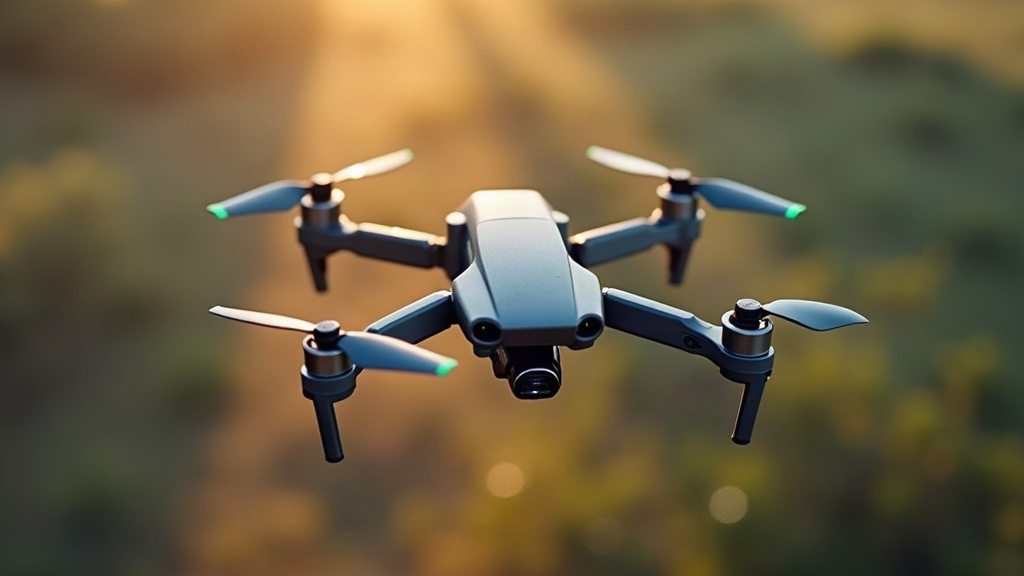
A hobby drone compass should only be recalibrated after traveling to a new flying location if your manufacturer specifically tells you to, or the flight app throws up a compass error on its own. Calibration teaches the drone about the local magnetic field, sure, but doing it “just in case” can actually make things worse. The safer move: walk the area first, clear out anything magnetic, follow your app’s on-screen instructions exactly, then run a quick pre-flight check before you ever hit the throttle.
Why Drone Compass Calibration Matters
The compass in your drone (technically a magnetometer) tells the flight controller which way it’s pointing relative to Earth’s magnetic field. It works alongside GPS, the IMU, and a handful of other sensors to keep the aircraft stable, make Return-to-Home actually work, and keep the flight path predictable.
Travel far enough and the magnetic field around you genuinely changes. That’s real. A drone might also ask for calibration after a firmware update, a hard landing, or after sitting in storage next to something magnetic for a while.
But here’s the catch: calibration isn’t something you do before every single flight, no matter what some YouTube tutorials suggest. Most consumer drones today store their calibration data and quietly adjust for normal geographic drift on their own. Recalibrate without being prompted, and you risk feeding the system bad data, especially if you happen to be standing over buried rebar or near a transformer box.
When Should You Calibrate a Hobby Drone Compass?
Check your manual and your flight app before doing anything else. Requirements differ by brand, but generally you should calibrate when:
- The flight app shows an explicit compass calibration warning.
- You’ve traveled a genuinely long distance (a different country, a different continent) and the manufacturer’s guidance says to recalibrate.
- The drone has taken a hard crash or impact.
- A major firmware update just landed and the app asks for it.
- Compass errors keep popping up even after restarting the drone in a clean, open space.
- The heading indicator jumps around while the drone is just sitting there, not moving.
Do not calibrate simply because you drove twenty minutes to a different park. Move away from anything that could be interfering, power-cycle the drone, and see if the warning clears on its own first.
Choose a Safe Calibration Area
Where you calibrate matters just as much as how you do it. Metal and electromagnetic fields will quietly wreck your results.
Look for a flat, open spot away from:
- Cars, motorcycles, bicycles, metal benches
- Steel-reinforced concrete, manhole covers, drainage grates
- Power lines, cell towers, generators, large electrical gear
- Speakers, phones, smartwatches, keys, magnetic phone cases
- Buried utility lines or metal fencing
- Large ships, railway tracks, construction equipment
A hotel parking lot might feel convenient, but the rebar under the asphalt plus a row of parked cars is basically a recipe for a bad calibration. Walk 20 to 30 meters into an open grassy patch instead. It takes two extra minutes and saves you a headache later.
How to Calibrate a Hobby Drone Compass Step by Step
Screen prompts and exact hand movements vary from one manufacturer to the next, so treat this as a general roadmap and defer to whatever your app actually tells you.
1. Inspect the Drone Before Powering On
Give the airframe, props, battery, and gimbal a once-over for damage. Pull off any third-party add-ons with magnets or metal in them, things like magnetic landing gear extensions or aftermarket payload mounts.
Set the drone down on a surface that isn’t metal, and make sure it’s level.
2. Open the Flight App and Check Sensor Status
Power on the controller, then the aircraft, then connect through the app. Check for sensor alerts before you even think about touching the calibration menu.
If you see “Compass Interference,” don’t just barrel ahead and calibrate anyway. Relocate to a cleaner spot, restart the aircraft, and check again. Nine times out of ten, the interference is coming from wherever you’re standing, not the compass itself.
3. Start Calibration Only When Prompted
Once the app actually asks for it, go ahead and select calibration. Keep the drone well clear of your body, your keys, your belt buckle, your phone, and the controller while you do this.
Hold it firm but gentle, like you’re holding a bird, not a football. Keep your fingers off the propellers and don’t let the aircraft dip close to the ground while turning.
4. Complete the Horizontal Rotation
Most drones start by asking you to hold it level and spin it a full 360 degrees. Turn your whole body in a smooth arc rather than twisting the drone quickly in your hands.
A clean rotation should take a good several seconds, not one quick flick. Jerky or rushed movement is a common reason the app rejects the attempt and makes you start over.
5. Complete the Vertical Rotation
Next up, the app typically wants the drone pointed vertically, nose down or nose sideways depending on the model, then rotated again nice and slow until it confirms.
Don’t guess here. Watch the little animation in the app closely, because getting the orientation wrong is one of the most common reasons calibration fails.
6. Confirm a Successful Result
Wait for the actual success message, don’t assume. If it fails, resist the urge to try again in the exact same spot three or four times in a row. Move somewhere else entirely and give it one more attempt.
Repeated failures in the same area almost always point to interference, a hardware issue, or an accessory messing with the compass, not bad luck.
Perform a Pre-Flight Check After Calibration
A successful calibration is not your cue to launch. Give it a minute and actually confirm the aircraft is ready to fly.
Before takeoff, check:
- GPS signal strength for the flight mode you plan to use
- The home point has updated to your current location
- The map arrow lines up with which way the drone is physically pointing
- Return-to-Home altitude clears anything nearby (trees, buildings, poles)
- Battery has enough charge for the flight plus the trip back
- No active compass, IMU, battery, or GPS warnings on screen
First flight in a new spot? Take off straight up and hover around 3 to 5 meters for about 20 to 30 seconds. Watch closely for drift, unexpected yaw, or any warning popping up. Anything looks off, land it right away and rethink the location.
Common Compass Calibration Mistakes
The number one mistake is recalibrating out of habit, just because you’re somewhere new. Do that enough and you can actually degrade a compass that was working perfectly fine.
Other mistakes that show up a lot:
- Calibrating right next to a parked car or on a metal table
- Holding a phone or a set of keys too close to the aircraft mid-calibration
- Rushing through the rotations
- Ignoring an interference warning that won’t clear even after calibration
- Taking off before GPS and home point are confirmed
- Flying anyway despite erratic heading behavior
If a compass warning keeps showing up across multiple clean, open locations, stop flying and reach out to the manufacturer’s support team. That’s not a “recalibrate five more times” problem, that’s a sensor fault.
Conclusion
The short version: calibrate a hobby drone’s compass after travel only when your drone or manufacturer actually asks for it, not on a whim. Pick a clean, open area away from metal and electrical interference, follow the app’s rotation prompts carefully, then confirm everything looks stable with a short low hover. A little patience here protects the aircraft, keeps navigation accurate, and makes that first flight in unfamiliar territory a lot less nerve-wracking.