Spring Pollen on DJI Mini 4 Pro Vision Sensors: Safe Cleaning Guide
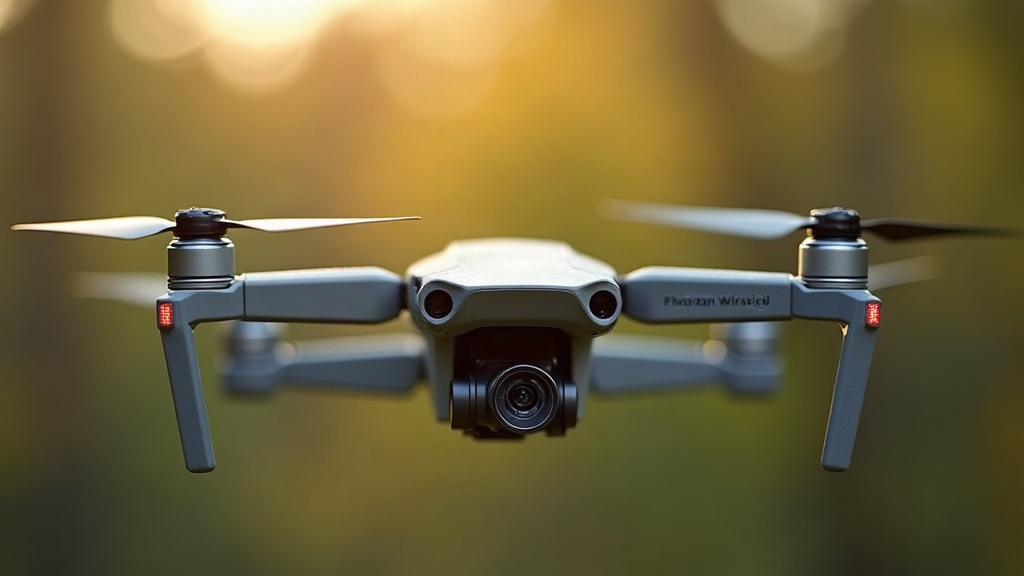
Spring pollen is a real headache for the DJI Mini 4 Pro’s vision positioning system, and most pilots don’t see it coming. A thin yellow film on the downward or forward sensors can trigger “vision system error” warnings, cause the drone to wobble while hovering, or simply refuse to take off at all. Here’s why pollen hits this particular drone so hard, how to clean it off without wrecking the optics, and how to keep the buildup from happening in the first place during peak bloom.
Why Pollen Is a Bigger Problem Than Dust
Pollen isn’t like ordinary dust. It’s sticky, slightly oily, and oddly shaped, which means it doesn’t just sit on a surface waiting to be blown away. When it lands on the Mini 4 Pro’s forward, backward, and downward vision sensors, it can actually bond to the lens coating, and this happens even faster in humid morning air or right after a light drizzle. The result is a hazy film that throws off the drone’s stereo vision cameras. Those cameras depend on sharp contrast and depth cues to judge distance and hold a steady hover, so even a faint smear can throw the whole system off.
Watch for these warning signs:
- Sudden “Vision System Error” or “Obstacle Sensing Unavailable” alerts popping up on the RC screen
- Drift or a jittery wobble during slow hovering, especially indoors or above a grassy lawn
- Auto-landing failing, or ActiveTrack/APAS simply refusing to switch on
- The downward sensor struggling to hold altitude over textured, pollen-dusted grass
Safe Cleaning Method (Step-by-Step)
Skip the paper towels, skip the tissues, and definitely skip blasting it with a compressed air canister. All three can scratch the lens coating or shove pollen deeper into the tiny gaps around the sensors. Do this instead:
- Power off completely and pull the battery before you touch anything.
- Use a soft-bristle brush. A clean, dry makeup brush or a proper lens brush does the job nicely, loosening dry pollen from around the sensor housings without any real pressure.
- Blow gently with a manual air bulb, not a can, to knock loose particles out of the tight recesses near the sensor array.
- Grab a microfiber lens cloth, dampen it lightly with distilled water or an optical cleaning solution. Regular glass cleaner is off-limits here since the ammonia in it will eat away at anti-reflective coatings over time.
- Wipe in one direction only. Circular motions just grind whatever grit is left across the glass.
- Give it a full 10 minutes to air-dry before the battery goes back in.
- Recalibrate if needed. If you noticed any drift before cleaning, open the DJI Fly app and run the IMU and compass calibration once everything’s dry.
Got hardened pollen mixed with tree sap? A cotton swab barely moistened with 90%+ isopropyl alcohol can cut through it, but go easy, stick to the glass itself, and stay well clear of rubber gaskets and seams.
Prevention Tips for Pollen Season
- Skip flights during peak release hours, usually 6 to 10 AM on warm, dry, breezy spring days when pollen counts spike.
- Store the drone in a sealed case instead of leaving it on a car dashboard or an outdoor table between flights.
- Use a lens cap or gimbal cover made for the Mini 4 Pro any time you’re moving it around or setting it down, even for a five-minute break.
- Do a 10-second flashlight check before every flight. A quick look at the sensors can catch buildup before it turns into a mid-air error.
- Launch and land on pavement, not grass or flower beds, when pollen counts are running high; it cuts down on airborne particles right where you need clean air the most.
- Check the local pollen forecast (most weather apps have one now) and just reschedule if it reads “very high” for the day, especially if you care about image quality or steady sensor performance.
When to Seek Professional Service
If the vision errors keep showing up even after a thorough cleaning, or if you spot scratches, cloudiness, or trapped condensation inside the sensor housing, stop flying and get in touch with DJI support. Cracking open the sensor module yourself is a good way to void your warranty, and it can throw off the calibration for good.
Conclusion
Pollen buildup is one of those quiet, easy-to-miss causes behind Mini 4 Pro flight instability every spring. A basic routine, soft brush, gentle air, careful microfiber wipe, keeps the vision sensors clean and the obstacle avoidance reliable. Combine that with a bit of smart scheduling around those pollen-heavy mornings, and your Mini 4 Pro should fly clean right through the season.